<?xml version="1.0" encoding="utf-8"?><feed xmlns="http://www.w3.org/2005/Atom" ><generator uri="https://jekyllrb.com/" version="3.10.0">Jekyll</generator><link href="/feed.xml" rel="self" type="application/atom+xml" /><link href="/" rel="alternate" type="text/html" /><updated>2026-05-26T18:35:41+00:00</updated><id>/feed.xml</id><title type="html">Your awesome title</title><subtitle>Write an awesome description for your new site here. You can edit this line in _config.yml. It will appear in your document head meta (for Google search results) and in your feed.xml site description.</subtitle><entry><title type="html">Vim diff mode for code review</title><link href="/blog/2026/05/26/vim-diff.html" rel="alternate" type="text/html" title="Vim diff mode for code review" /><published>2026-05-26T00:00:00+00:00</published><updated>2026-05-26T00:00:00+00:00</updated><id>/blog/2026/05/26/vim-diff</id><content type="html" xml:base="/blog/2026/05/26/vim-diff.html"><![CDATA[<p>First time using vim diff mode to merge differnt versions of a file.  Before that I need to connect VSCode to ssh everytime doing remotely.</p>

<p>Usage:
<code class="language-plaintext highlighter-rouge">vim -d file1 file2</code></p>

<p>Then you can use <code class="language-plaintext highlighter-rouge">]c</code> and <code class="language-plaintext highlighter-rouge">[c</code> to jump between changes, and <code class="language-plaintext highlighter-rouge">do</code> and <code class="language-plaintext highlighter-rouge">dp</code> to merge changes from one side to another.</p>

<p>Easier than I thought.</p>

<p>Also, to enable mouse mode, add <code class="language-plaintext highlighter-rouge">set mouse=a</code> to your vimrc, then you can click to jump between changes as well.</p>

<p>ref: <a href="https://www.reddit.com/r/vim/comments/199bkgk/using_vimdiff/">the reddit post i read</a></p>]]></content><author><name></name></author><category term="blog" /><summary type="html"><![CDATA[First time using vim diff mode to merge differnt versions of a file. Before that I need to connect VSCode to ssh everytime doing remotely.]]></summary></entry><entry><title type="html">Vibe coding helps with groceries too!</title><link href="/blog/2026/05/19/walmart-pounds.html" rel="alternate" type="text/html" title="Vibe coding helps with groceries too!" /><published>2026-05-19T00:00:00+00:00</published><updated>2026-05-19T00:00:00+00:00</updated><id>/blog/2026/05/19/walmart-pounds</id><content type="html" xml:base="/blog/2026/05/19/walmart-pounds.html"><![CDATA[<p>Did a little script to help comparing price better.  (Doesn’t makes sense to me they’re not using pounds on web even when they use it in-store)</p>

<p>enjoy</p>

<p>#walmart #groceries
Walmart Canada</p>

<p>greasyfork <a href="https://greasyfork.org/en/scripts/578351-show-pounds-unit-price-walmart-ca">show pounds unit price walmart.ca</a></p>]]></content><author><name></name></author><category term="blog" /><summary type="html"><![CDATA[Did a little script to help comparing price better. (Doesn’t makes sense to me they’re not using pounds on web even when they use it in-store)]]></summary></entry><entry><title type="html">the home assistant rabbit hole</title><link href="/blog/2026/03/26/home-assistant.html" rel="alternate" type="text/html" title="the home assistant rabbit hole" /><published>2026-03-26T00:00:00+00:00</published><updated>2026-03-26T00:00:00+00:00</updated><id>/blog/2026/03/26/home-assistant</id><content type="html" xml:base="/blog/2026/03/26/home-assistant.html"><![CDATA[<p>Another rabit hole - Home Assistant the midnight project</p>

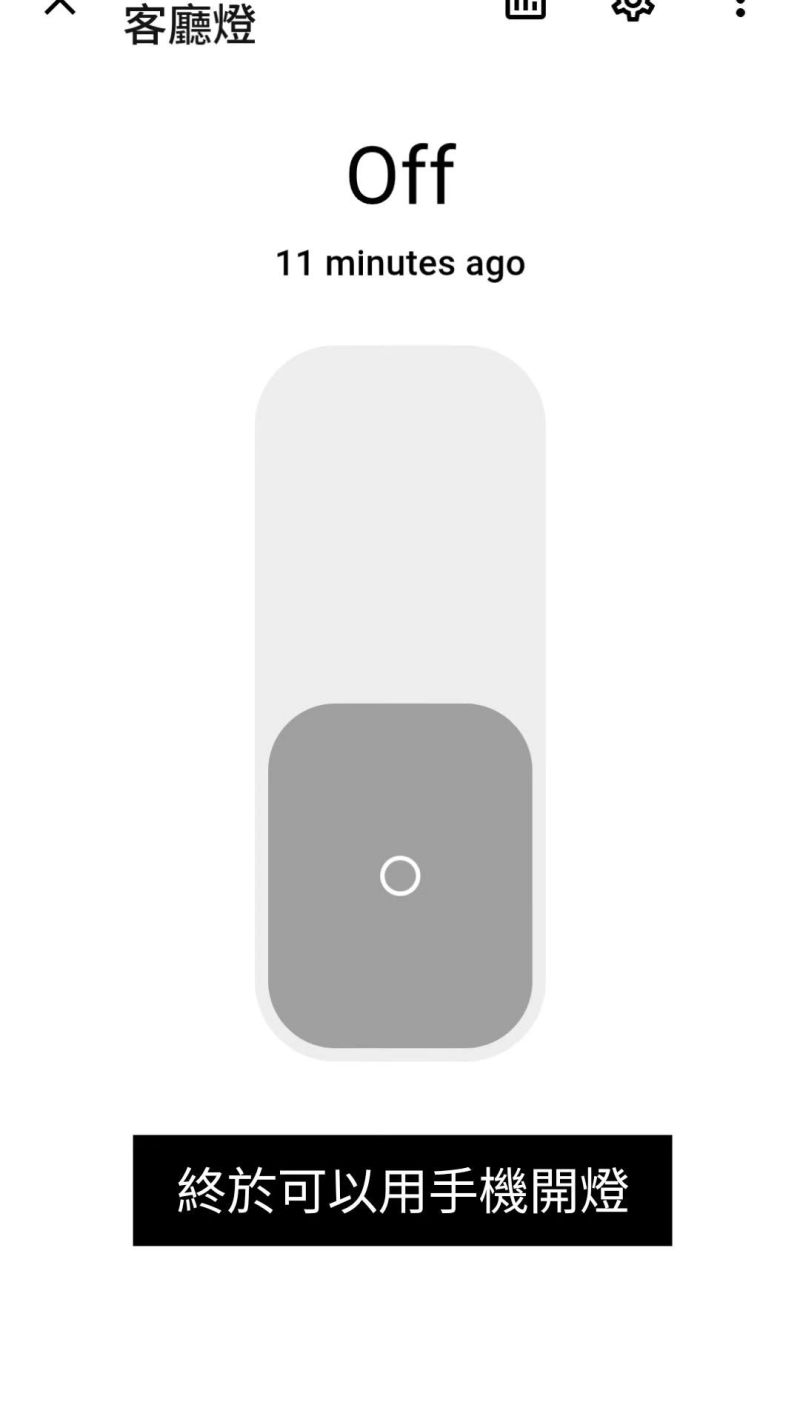
<p style="text-align: center;"><img src="/assets/images/image.png" alt="light_switch" width="250" /></p>

<p>Always wanted to automate my home, got a home pod, but sick of always shouting at Siri to get things done.</p>

<p>So I took the hassle to run home assistant over Wireguard on remote vm.</p>

<p>A few key takeaways</p>

<ul>
  <li>HomeKit requires both mdns and ssdp relay (<code class="language-plaintext highlighter-rouge">mdns-repeater</code> and <code class="language-plaintext highlighter-rouge">udp-broadcast-relay-redux</code> was used)</li>
  <li>add routes on openwrt</li>
  <li>Add these entries to wg peer allowed_ips ‘224.0.0.251/32’ ‘239.255.255.250/32’</li>
</ul>

<p>And if course, using copilot speeds things up a lot!</p>

<p>refs:</p>

<ul>
  <li><a href="https://lnkd.in/dHfZDY9D">Can’t get zeroconf/avahi/mDNS reflection to work through WG : r/WireGuard</a></li>
  <li><a href="https://lnkd.in/dP2v9Cj4">Since WireGuard is Layer 3, what would is everyone’s use case of doing Layer 2 o… | Hacker News</a></li>
  <li><a href="https://lnkd.in/dG6nhgZX">Avahi with Wireguard · Issue #262 · avahi/avahi</a></li>
</ul>

<p>originally posted on <a href="https://www.linkedin.com/feed/update/urn:li:activity:7443094444926468097/">LinkedIn</a></p>

<p>#homekit #homeassistant #wireguard #openwrt</p>]]></content><author><name></name></author><category term="blog" /><summary type="html"><![CDATA[Another rabit hole - Home Assistant the midnight project]]></summary></entry><entry><title type="html">fastStream the better html player in your browser</title><link href="/blog/2026/03/19/faststream.html" rel="alternate" type="text/html" title="fastStream the better html player in your browser" /><published>2026-03-19T00:00:00+00:00</published><updated>2026-03-19T00:00:00+00:00</updated><id>/blog/2026/03/19/faststream</id><content type="html" xml:base="/blog/2026/03/19/faststream.html"><![CDATA[<p>Extension Appreciation: Andrew’s FastStream</p>

<p>Was looking into Apple’s “Liquid Glass showcase: Slack” case-study, but the video buffering was incredibly slow and no fast seek support.</p>

<p>This extension works as a in-place video player replacement.  With it the stream went from a simple built-in video player to a full-featured player with multithreaded streaming, fast-seek with thumbnail, so on.</p>

<p>Supported for Firefox and Chrome</p>

<p>https://github.com/Andrews54757/FastStream</p>

<p>Originally on linkedin.</p>]]></content><author><name></name></author><category term="blog" /><summary type="html"><![CDATA[Extension Appreciation: Andrew’s FastStream]]></summary></entry><entry><title type="html">lnav the terminal log viewer</title><link href="/blog/2026/01/26/lnav.html" rel="alternate" type="text/html" title="lnav the terminal log viewer" /><published>2026-01-26T00:00:00+00:00</published><updated>2026-01-26T00:00:00+00:00</updated><id>/blog/2026/01/26/lnav</id><content type="html" xml:base="/blog/2026/01/26/lnav.html"><![CDATA[<p>Introduce to you <code class="language-plaintext highlighter-rouge">lnav</code>, a log viewer in your terminal.
I was looking for something to colourize million lines of log without needing to open vscode, and it came in handy.</p>

<p>If you are already familiar with <code class="language-plaintext highlighter-rouge">less</code> or <code class="language-plaintext highlighter-rouge">k9s</code>, you are good to go already.</p>

<p>A few useful keys:
/ - quick search
n - next match
p - previous match
q - exit</p>

<p>https://github.com/tstack/lnav</p>

<p>Originally on linkedin.</p>]]></content><author><name></name></author><category term="blog" /><summary type="html"><![CDATA[Introduce to you lnav, a log viewer in your terminal. I was looking for something to colourize million lines of log without needing to open vscode, and it came in handy.]]></summary></entry><entry><title type="html">The rabbit hole into zsh completion</title><link href="/blog/2025/12/30/gcloud-zsh.html" rel="alternate" type="text/html" title="The rabbit hole into zsh completion" /><published>2025-12-30T00:00:00+00:00</published><updated>2025-12-30T00:00:00+00:00</updated><id>/blog/2025/12/30/gcloud-zsh</id><content type="html" xml:base="/blog/2025/12/30/gcloud-zsh.html"><![CDATA[<p>With Mac, most of us install Oh My Zsh and Homebrew for efficient terminal management. However, it is notorious for slow startup.</p>

<p>Recently, I switched from Oh My Zsh to Prezto; seeing my shell ready in a second is deeply satisfying.</p>

<p>cont:
Although prezto is much faster, there came with a cost. I would be seeing bugs omz would have normally smoothed out for us behind the scene.</p>

<p>This morning, just after I installed gcloud from brew, and find the completion not working, that dragged me down the rabbit hole.</p>

<p>Checked fpath (normal), checked manual sourcing (it’s working), but the completion is still not automatically picked up. AI told me to source manually, I know it would work, but it’s not elegant.</p>

<p>A brief search led me to this “unplanned” issue in cask, saying that because the gcloud definition doesn’t comply with zsh standard to include “hashtag#compdef gcloud …” in the header, and in brew’s convention it named the completion script to be the same as the package name “google-cloud-sdk” (
<code class="language-plaintext highlighter-rouge">/opt/homebrew/share/zsh/site-functions/_google_cloud_sdk</code>) instead of gcloud (the name that should triggers in terminal completion).</p>

<p>Adding that header line fixed the issue right away.</p>

<p>the issue:
<a href="https://github.com/Homebrew/homebrew-cask/issues/143596">google-cloud-sdk zsh autocompletion doesn’t load automatically #143596</a></p>

<p>Google Cloud Google for Developers</p>

<p>Originally on Linkedin.</p>]]></content><author><name></name></author><category term="blog" /><summary type="html"><![CDATA[With Mac, most of us install Oh My Zsh and Homebrew for efficient terminal management. However, it is notorious for slow startup.]]></summary></entry><entry><title type="html">Welcome to Jekyll!</title><link href="/jekyll/update/2022/02/10/welcome-to-jekyll.html" rel="alternate" type="text/html" title="Welcome to Jekyll!" /><published>2022-02-10T04:49:50+00:00</published><updated>2022-02-10T04:49:50+00:00</updated><id>/jekyll/update/2022/02/10/welcome-to-jekyll</id><content type="html" xml:base="/jekyll/update/2022/02/10/welcome-to-jekyll.html"><![CDATA[<p>You’ll find this post in your <code class="language-plaintext highlighter-rouge">_posts</code> directory. Go ahead and edit it and re-build the site to see your changes. You can rebuild the site in many different ways, but the most common way is to run <code class="language-plaintext highlighter-rouge">jekyll serve</code>, which launches a web server and auto-regenerates your site when a file is updated.</p>

<p>Jekyll requires blog post files to be named according to the following format:</p>

<p><code class="language-plaintext highlighter-rouge">YEAR-MONTH-DAY-title.MARKUP</code></p>

<p>Where <code class="language-plaintext highlighter-rouge">YEAR</code> is a four-digit number, <code class="language-plaintext highlighter-rouge">MONTH</code> and <code class="language-plaintext highlighter-rouge">DAY</code> are both two-digit numbers, and <code class="language-plaintext highlighter-rouge">MARKUP</code> is the file extension representing the format used in the file. After that, include the necessary front matter. Take a look at the source for this post to get an idea about how it works.</p>

<p>Jekyll also offers powerful support for code snippets:</p>

<figure class="highlight"><pre><code class="language-ruby" data-lang="ruby"><span class="k">def</span> <span class="nf">print_hi</span><span class="p">(</span><span class="nb">name</span><span class="p">)</span>
  <span class="nb">puts</span> <span class="s2">"Hi, </span><span class="si">#{</span><span class="nb">name</span><span class="si">}</span><span class="s2">"</span>
<span class="k">end</span>
<span class="n">print_hi</span><span class="p">(</span><span class="s1">'Tom'</span><span class="p">)</span>
<span class="c1">#=&gt; prints 'Hi, Tom' to STDOUT.</span></code></pre></figure>

<p>Check out the <a href="https://jekyllrb.com/docs/home">Jekyll docs</a> for more info on how to get the most out of Jekyll. File all bugs/feature requests at <a href="https://github.com/jekyll/jekyll">Jekyll’s GitHub repo</a>. If you have questions, you can ask them on <a href="https://talk.jekyllrb.com/">Jekyll Talk</a>.</p>]]></content><author><name></name></author><category term="jekyll" /><category term="update" /><summary type="html"><![CDATA[You’ll find this post in your _posts directory. Go ahead and edit it and re-build the site to see your changes. You can rebuild the site in many different ways, but the most common way is to run jekyll serve, which launches a web server and auto-regenerates your site when a file is updated.]]></summary></entry><entry><title type="html">Hello World!</title><link href="/blog/2022/02/10/helloWorld.html" rel="alternate" type="text/html" title="Hello World!" /><published>2022-02-10T00:00:00+00:00</published><updated>2022-02-10T00:00:00+00:00</updated><id>/blog/2022/02/10/helloWorld</id><content type="html" xml:base="/blog/2022/02/10/helloWorld.html"><![CDATA[<p>This is my first post.  Below is an example passage.</p>

<p>A banana is an edible fruit – botanically a berry – produced by several kinds
of large herbaceous flowering plants in the genus Musa.</p>

<p>In some countries, bananas used for cooking may be called “plantains”,
distinguishing them from dessert bananas. The fruit is variable in size, color,
and firmness, but is usually elongated and curved, with soft flesh rich in
starch covered with a rind, which may be green, yellow, red, purple, or brown
when ripe.</p>]]></content><author><name></name></author><category term="blog" /><summary type="html"><![CDATA[This is my first post. Below is an example passage.]]></summary></entry></feed>